


Skip to content
AI filmmaking platform for studios

Reasoning and verification models for long-form AI filmmaking.

Induce AI helps studios turn screenplays into AI films—with scene plans, character and location references, and continuity checks against the story.

Sign Up→
REEL 01 / 05 · VINTAGE CAR

IN THE PRESS

Screenplay to film · The Sky Turtle

Written as a scene.
Delivered as a film.

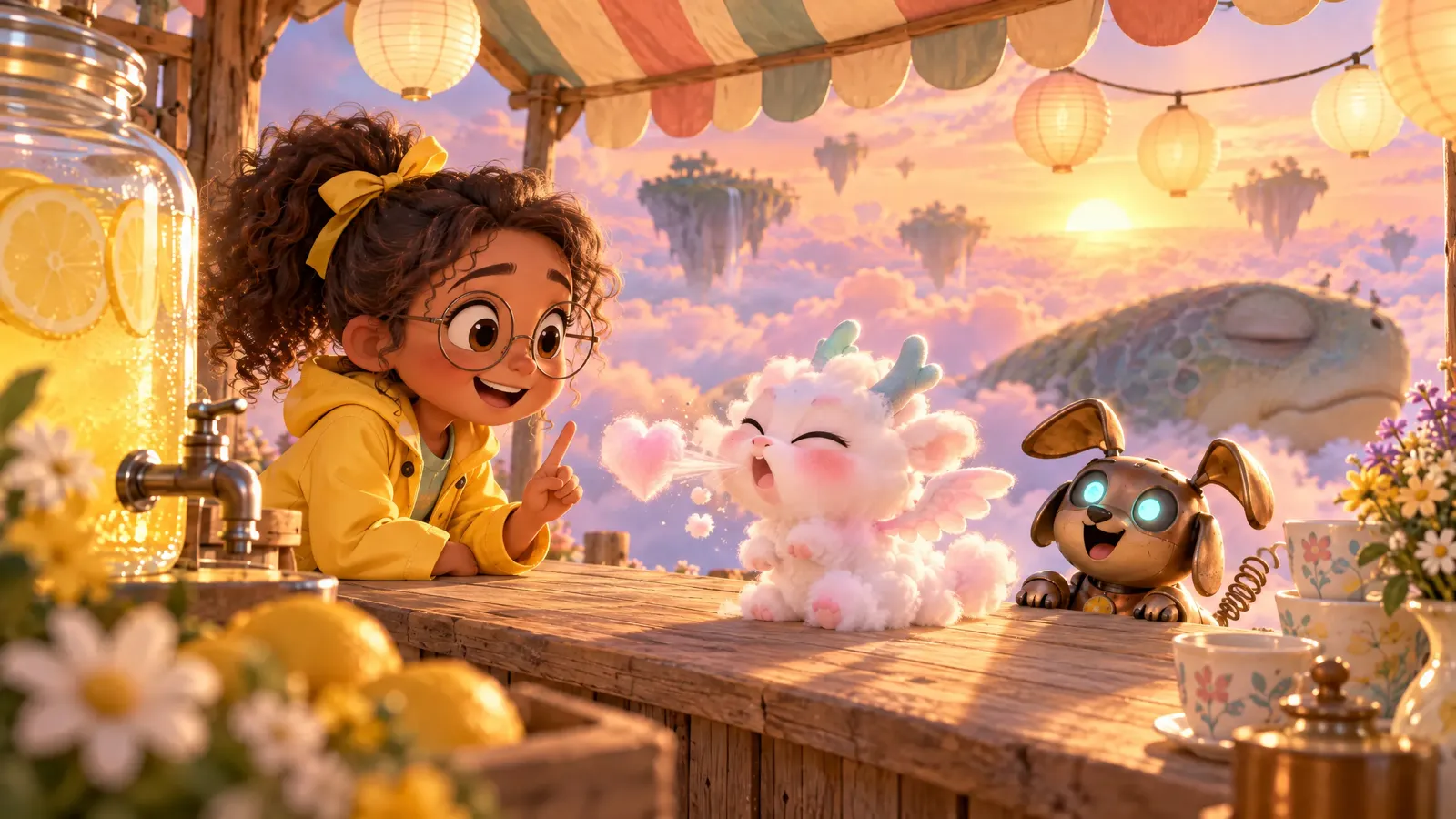
A short made in Induce AI. Scroll the script beside the frame generated for each scene, every one started from the same location plate.

THE SKY TURTLEScript

EXT. LEMONADE STAND, ON THE SKY TURTLE'S SHELL — SUNRISE

High above the clouds, a giant turtle sleeps as it drifts. On the mossy crest of its shell, PIP flips the lemon sign to open. BOLT, her copper robot dog, balances a stack of teacups on his head.

PIP

First cup of the day, Bolt. Someone's coming. I can feel it.

EXT. LEMONADE STAND — CONTINUOUS

A baby cloud dragon, ZEPHYR, tumbles onto the counter and sneezes a puff of pink cloud shaped like a heart.

ZEPHYR

One lemonade, please. Extra fizz. I've been flying since Tuesday.

PIP

Extra fizz costs one story.

EXT. LEMONADE STAND — MOMENTS LATER

Pip pours. The fizz rises out of the cup as rainbow bubbles that lift the lemon slices into the air.

ZEPHYR

Once, I saw the moon blink.

PIP

That counts.

EXT. THE SKY — CONTINUOUS

A ribbon of fizz curls off the counter all the way to the turtle's nose. It opens one huge eye, lifts its head out of the clouds and turns toward the sun. On its shell, three tiny figures raise their cups.

PIP

Hold on to your cups. He's awake, and he's thirsty too.

CUT TO BLACK.
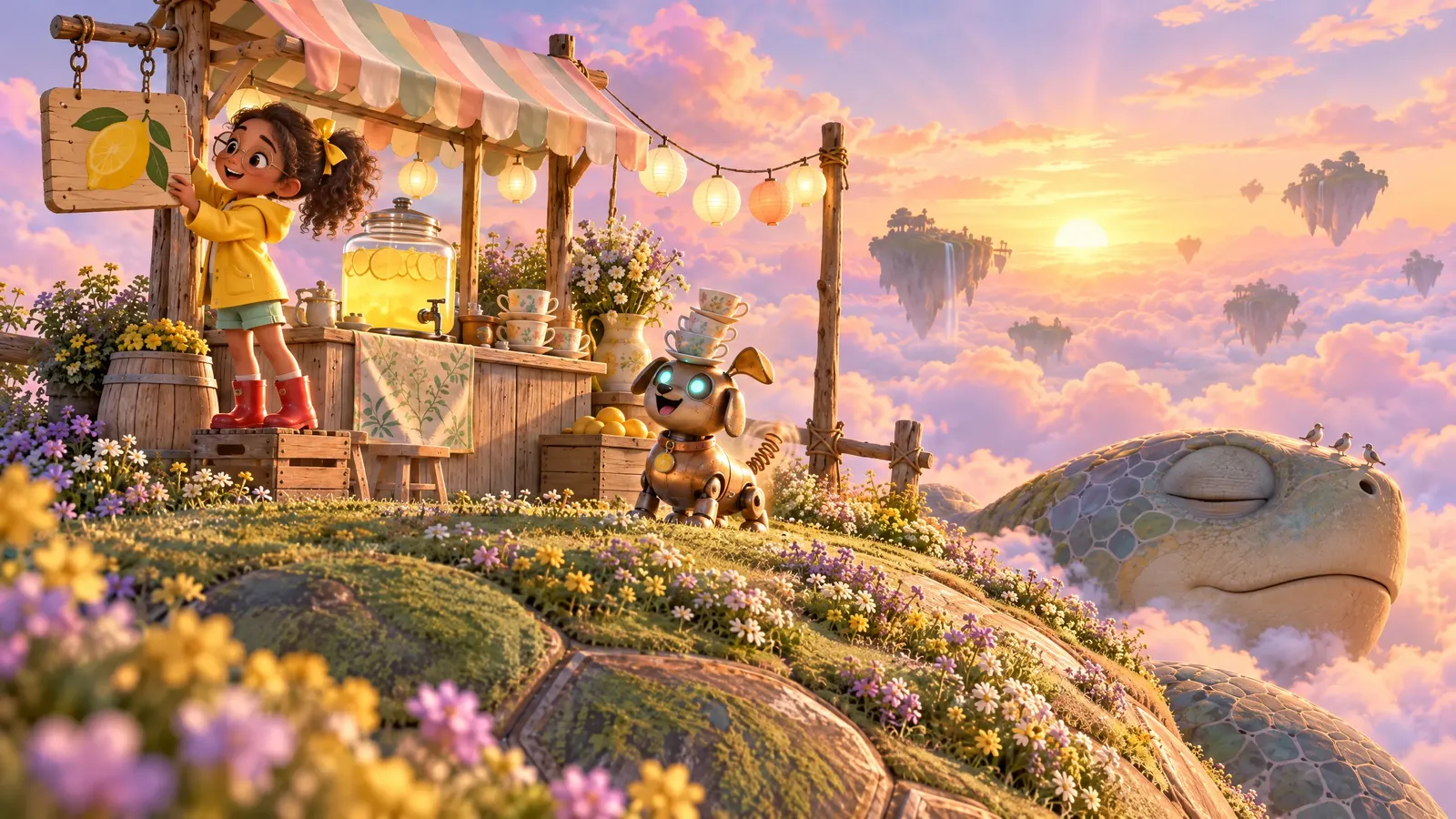
Frame from scene 1: open the standScene 01 / 04
  1. Open the stand
  2. Meet the customer
  3. Pour the fizz
  4. Wake the turtle

Watch forThe location plate came first. This frame was generated from it, so the stand, the awning and the sleeping head stay where the plate put them.

AI video continuity · Signal at Dawn

Check the take
before the next clip.

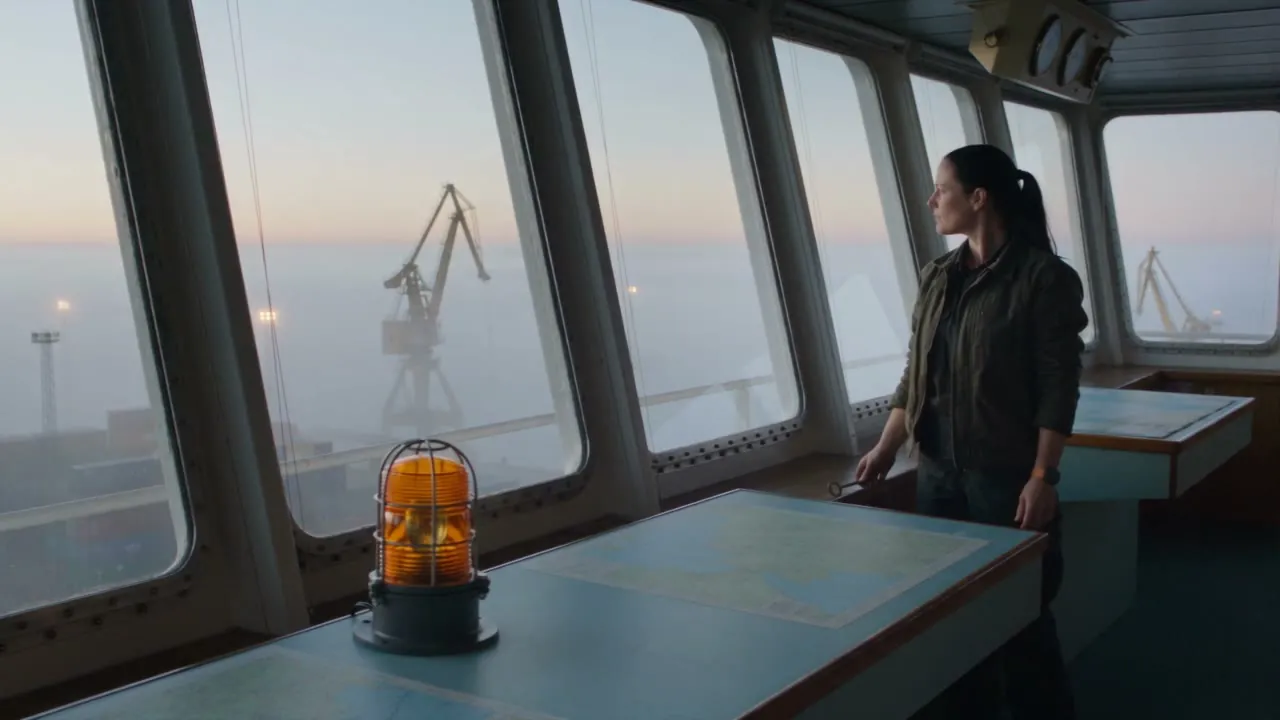
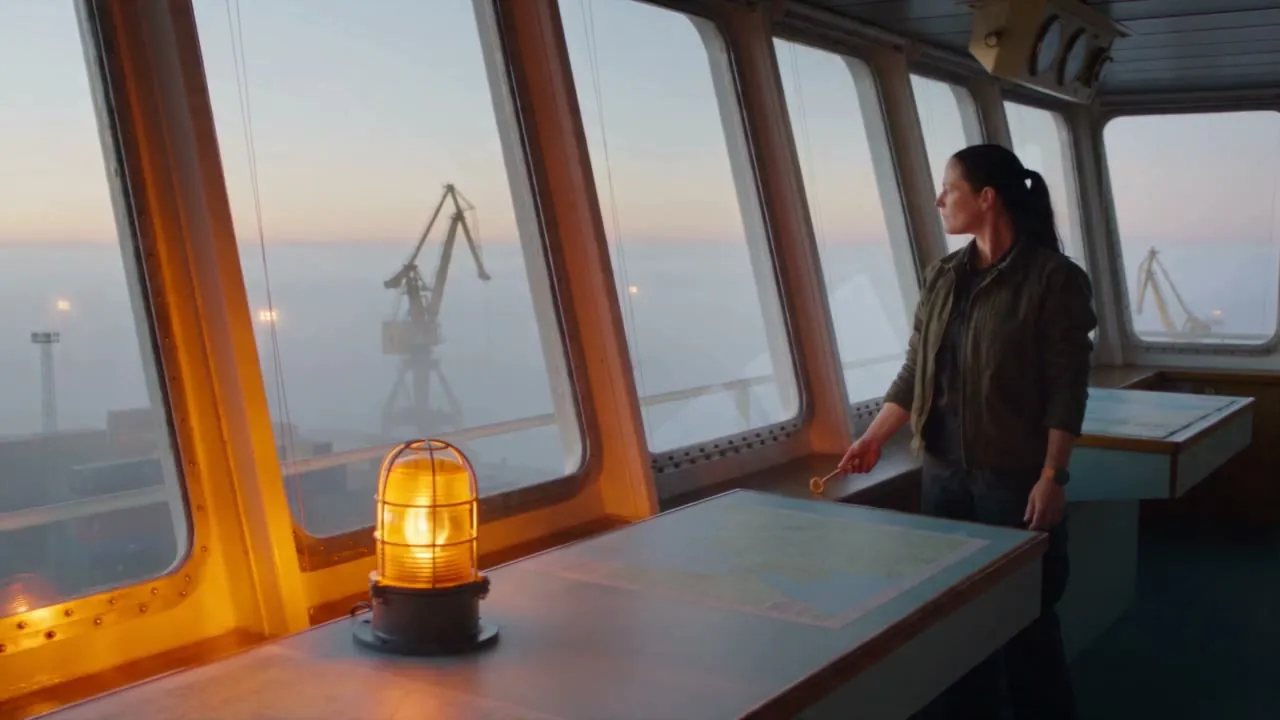
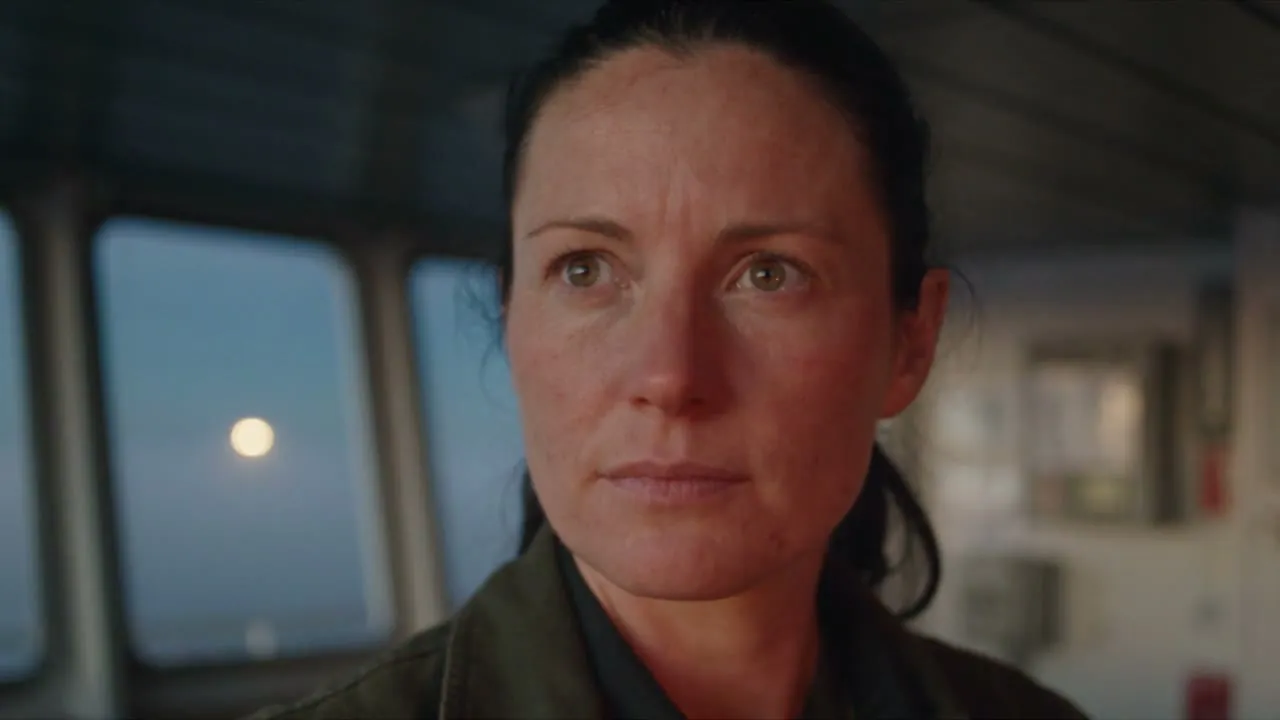
Every clip hands its story state to the next one. Induce AI lays the plan beside each generated take, clip by clip, so a mistake is caught where it starts instead of three shots later.

Clip 1: Nora at the harbor control-room window with the brass key in her right hand; the amber lamp on the chart table is unlit
Clip 1Wide · 35mm
Warning lampPlanOffTakeOffMatch
Brass keyPlanIn her right handTakeIn her right handMatch
Orange watchPlanLeft wristTakeLeft wristMatch
Clip 2: the amber lamp is now lit while Nora still holds the brass key in her hand instead of placing it on the chart
Clip 2Medium · 50mm
Warning lampPlanBegins to glowTakeLights upMatch
Brass keyPlanPlaced on the chartTakeStill in her handMismatch
Orange watchPlanLeft wristTakeLeft wristMatch
Clip 3: close-up of Nora looking out of the window; the brass key is not in the foreground
Clip 3Close · 50mm
Warning lampPlanOnTakeOut of frameUnclear
Brass keyPlanOn the chart, foregroundTakeNot in shotMismatch
Orange watchPlanLeft wristTakeOut of frameUnclear

NoteClip 3 can’t show the key on the chart until clip 2 puts it there. Retake clip 2 first, then clip 3 inherits the right state.

  • Match The take shows what the plan says.
  • Mismatch The take contradicts the plan.
  • Unclear Not enough evidence. Never counted as a match.

Stills from Signal at Dawn clips 1–3, generated in Induce AI. Readings recorded in human review of each take.

Built like a film crew.
Runs like infrastructure.

Cinematic illustrations of the production workflow.

FEATURE / Causal Reasoning
Causal Reasoning

Plan what changes between shots

Plan who is in the shot, what happens, and what must follow. Keep the intended story state alongside your references.

Statestart and end
Actionmotion criteria
FEATURE / Verification
Verification

Check the take against the story

Check the generated take against the action the story needs. Review sampled evidence and keep uncertain details visible.

Evidencesampled checks
Unknownkept distinct
FEATURE / Direction
Direction

Make the direction explicit

Camera, eyelines, lighting, and performance belong in the brief. Give generation and review a shared creative direction.

Framingshot notes
Continuityreview criteria
FEATURE / Model Choice
Model Choice

Choose the model for the shot

Use supported image and video models with the same scene plan and references.

Modelsworkflow support
Referencesproduction context
FEATURE / Shot Control
Shot Control

Revise a shot. Review the handoff.

Change the angle, framing, or performance notes for a shot. Review the new version in sequence before choosing the take.

Versionshot review
Handoffboundary evidence

Security review

Discuss your requirements during a pilot.

Enterprise requirements

SSO, VPC, and integrations: scope with us.

Commercial licensing

Output ownership and usage covered in our Terms.

Illustrative generated frames across genres, lighting, and shot styles.

From shortlist to pilot

Evaluate the whole workflow.

Compare Induce AI with Runway, LTX Studio, and Higgsfield, scope production costs, and agree a first pilot.

  1. Step 01

    Compare your shortlist

    Review narrative planning, generation options, delivery, and usage requirements side by side.

  2. Step 02

    Scope production costs

    Count attempts, human review, editing, and finishing in the cost of approved footage, not just generation.

  3. Step 03

    Agree the first pilot

    Bring a representative scene, your acceptance criteria, and the delivery specification you need.

Ready to test it on your own script? We scope every pilot with your team.

Sign Up→

- Questions

What production
teams ask.

Induce AI breaks a screenplay or brief into a scene plan split into clips, attaches character, location, and prop references, generates each clip with a supported image or video model, and assembles a reviewable cut in one project. See the screenplay-to-film workflow.

Verification models compare the story state planned for a clip with sampled frames from the generated take. Each check returns pass, fail, or unknown; missing evidence stays unknown rather than counting as a pass. Reviewers add notes before a take is kept. How story-aware verification works.

Shared references and the planned story state carry from clip to clip, and takes are reviewed in sequence. In Signal at Dawn, human review flagged a harbor warning lamp that was lit one clip earlier than the plan. Explore AI video continuity.

The Studio workspace is built around multi-scene narrative: scenes, recurring character and location references, and continuity review across the cut. Scope, volume, and delivery for a series are agreed in a pilot.

Through a sales-led production pilot scoped to a representative script, your acceptance criteria, volume, and delivery requirements. Plan an enterprise pilot.

Let the models generate.
Let Induce AI hold it together.

Sign Up→
For studios, media platforms, and high-volume production teams