Bring the screenplay you have.
Use a readable PDF with scene headings, action, and dialogue. Test a representative sequence and confirm the current import scope before a larger production.
Check text selection and scene structure before uploading.Bring the source scene into Story, inspect the shot plan, and prepare visual references before generating footage. Keep the story intent available as your team reviews the production.
INT. HARBOR CONTROL ROOM — DAWN
Nora stands at the chart table, studying the harbor through the windows. The brass key is in her right hand. A quiet pause.
Read the full scene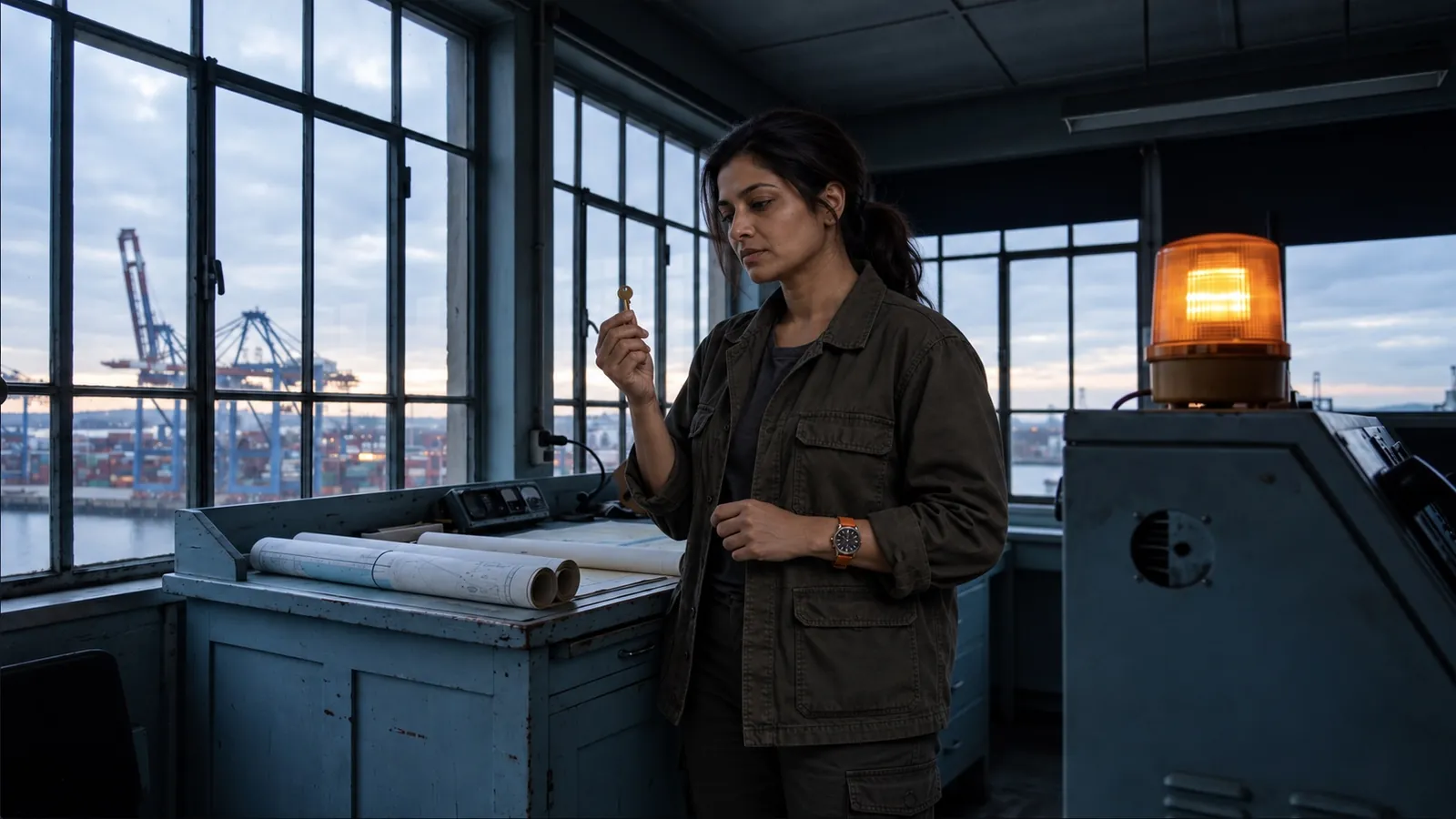 The room. The character. The key.
Wide · Nora at the table
Medium · The lamp lights
Close · Nora looks up
Script-to-video production connects the story with the plan, references, takes, and review. Your team can inspect the work as it develops.
Establish the action, dialogue, and story intent.
Script or briefInspect coverage, direction, and the planned clips.
Reviewable shot planPrepare named cast, location, and prop references.
Shared visual directionInspect footage against the source and references.
Takes for reviewJudge the edit, request revisions, and prepare delivery.
Accepted production outputSignal at Dawn’s source scene becomes three planned shots in Story.
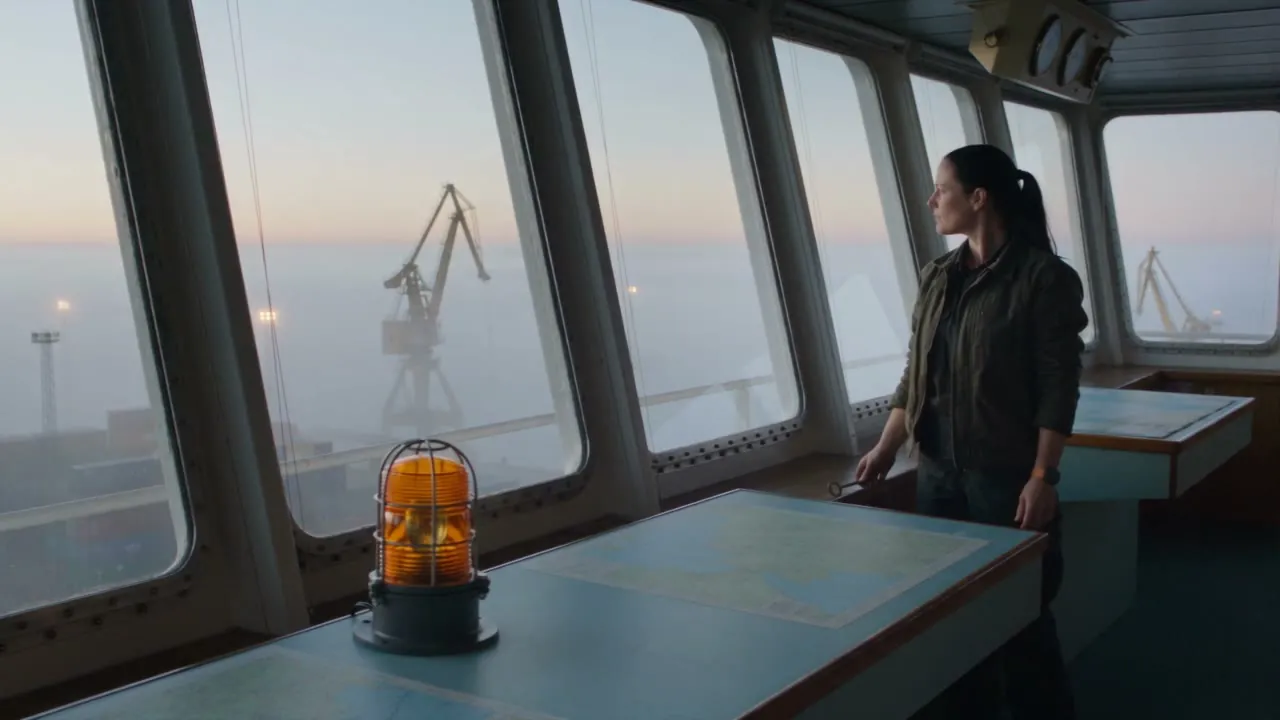 01Wide · 35mm
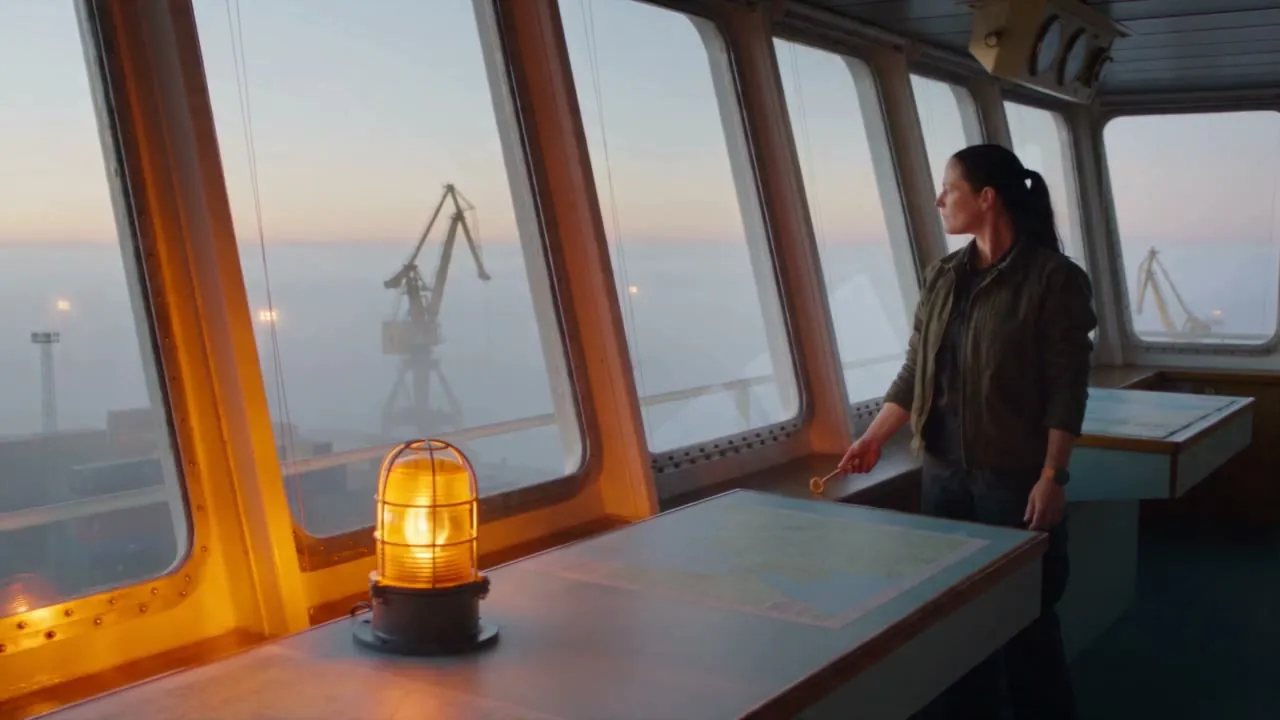 02Medium · 50mm
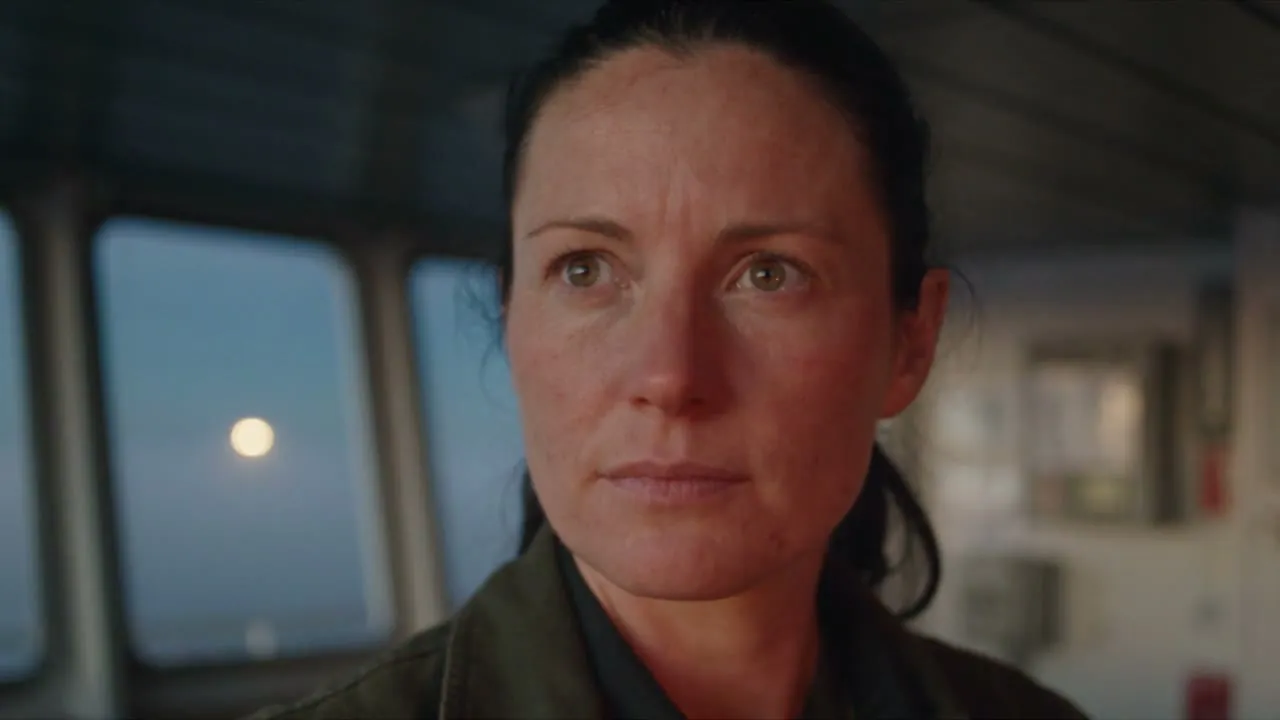 03Close · 50mm
Review planned clips, direction, and status against the source scene.
Signal at Dawn
Original production study for Induce AI · 3 shots · 15 seconds
INT. HARBOR CONTROL ROOM - DAWN
NORA VALE, a harbor operator in her mid-thirties, wears a dark olive work jacket and a plain orange watch on her left wrist. Her dark hair is tied back. In her right hand she holds a small brass key.
The room has a pale blue chart table, tall windows overlooking harbor cranes, and an amber warning lamp to the right of the table. The cool dawn light and the room layout remain the same.
SHOT 01 - WIDE - 5 SECONDS
Nora stands at the chart table, studying the harbor through the windows. The brass key is in her right hand. A quiet pause.
SHOT 02 - MEDIUM - 5 SECONDS
Closer on the same Nora. She places the brass key onto the pale blue chart with her right hand. The orange watch remains on her left wrist. Her expression sharpens as the warning lamp begins to glow.
SHOT 03 - CLOSE - 5 SECONDS
Nora looks up toward the amber warning lamp. The key stays on the chart in the foreground. Her jacket, watch, hairstyle and the harbor control room stay consistent. Cut to black.
Start with the material your producers can review. The current upload UI accepts a PDF screenplay; the production study also shows an original scene developed in Story.
Use a readable PDF with scene headings, action, and dialogue. Test a representative sequence and confirm the current import scope before a larger production.
Check text selection and scene structure before uploading.Develop the idea or bring source text into Story. Signal at Dawn began with an original scene describing the cast, control room, and brass key.
Name the cast, setting, intended action, and target length.- Questions
Script-to-video AI connects a source script with scene and shot planning, visual references, generated takes, and an assembled cut for review. In Induce AI, those stages are organized within a project.
The current script upload workflow accepts a PDF screenplay. Use a text-based PDF, then confirm scene structure and supported import length with a representative sequence before planning a larger production.
The project provides scene and clip-plan views with direction, dialogue, generation status, and saved takes. Review these against the source script and your creative requirements.
Start with a representative sequence. Establish references and acceptance criteria, then measure approved footage, revision effort, and total production costs before expanding the number of scenes or projects.
Studio includes retake and editing workflows. Test a specific creative change during evaluation, compare the new result with the intended references, and review it in the assembled sequence.
Track cost per approved finished minute, usable takes, review time, revision effort, and delivery acceptance. Include generation attempts, retakes, editing, and finishing in the comparison with your current workflow.