
For learning, comms and brand teams
AI corporate video production for scenes, not slides
AI corporate video production uses generated footage in place of a shoot. Induce AI is built for the dramatised kind: a script or brief becomes scenes with a consistent cast and setting, every take is reviewed before it is kept, and the finished video can be dubbed into other languages with Remake.
Generates withKlingVeoSeedanceNano Banana
How it works
How AI corporate video production works
Write the scenario
Script the situation as a scene: who is in the room, what is said and what goes wrong or right. Upload it as a document, or type a brief and let Story mode draft it.
Agree the shot list
Review the scenes and shot list with the people who sign off, before any footage is generated.
Set cast, workplace and props
Save the characters, the setting and any product or equipment as elements. They are reused across every scene in the programme.
Generate and review
Each clip is generated and reviewed. A take that misses the plan is flagged, and a person decides whether to re-film it or accept it.
Deliver and localise
Download the assembled cut. Remake can then dub a video of up to two minutes into 17 languages, with optional lip sync.
What you get
Corporate videos you can make with AI
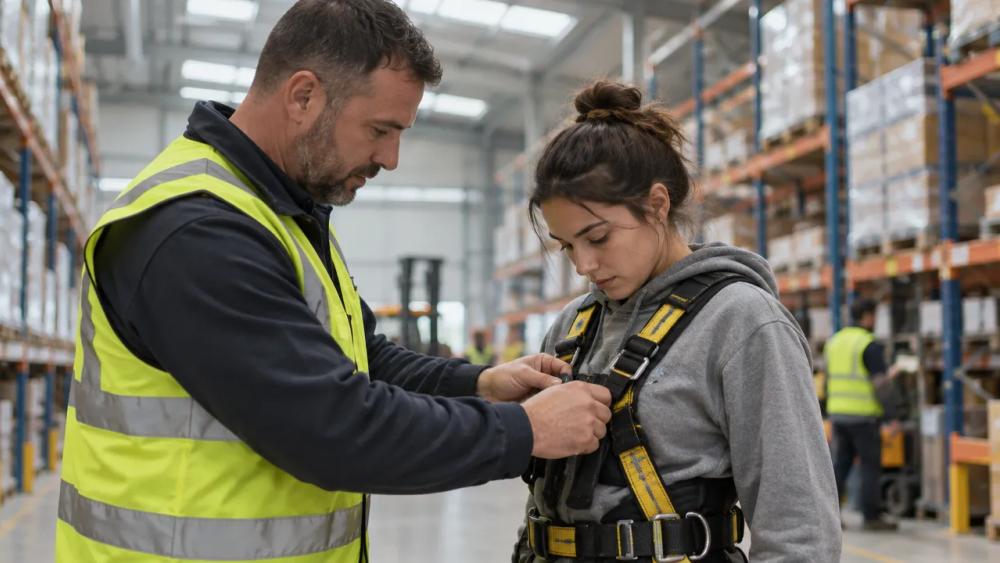
Training scenarios
Dramatised situations for compliance, safety, sales and management training.

Onboarding films
A day-in-the-life story with a recurring cast new starters can follow.

Internal communications
Change and strategy messages told as short scenes instead of a slide deck.

Brand stories
Narrative films about customers, founders or a product in use.

Product explainers in context
The product shown in the setting where it is actually used.

Series and updates
New episodes that reuse the same characters and workplace.
Why Induce AI
Why teams produce corporate video with Induce AI
A recurring cast across a programme
Characters, wardrobe and locations are saved elements, so module six looks like module one.
One film, many languages
Remake dubs a finished video into Hindi, Tamil, Spanish, French, German, Japanese, Arabic and ten more languages, keeping each speaker’s own voice.
Scoped with your team
Larger programmes start with a pilot on a representative script. SSO, VPC and API needs are scoped with sales before rollout.
Is it for you?
Made for you if…
- You need dramatised scenarios with characters, not a presenter reading to camera.
- The same cast and setting recur across many videos.
- The same film has to go out in several languages.
- You want to update a film without booking a new shoot.
- Questions
AI Corporate Video,
answered.
It is producing business video with generated footage rather than a camera crew. It covers presenter-led explainers made with avatars and dramatised scenes made with video models. Induce AI focuses on the second.
It suits scenario-based training, where learners watch a situation play out. Subject-matter experts should review every scenario for accuracy, as they would with a filmed one.
Yes. Remake dubs an uploaded video of up to two minutes into 17 languages, including Hindi, Spanish, Portuguese, French, German, Japanese, Korean, Mandarin and Arabic, with an optional lip-sync pass.
Save each character and the workplace as elements once. They are reused in every scene and every new episode in the project.
Sign up and try one scenario, or talk to sales about a pilot scoped to a representative script, your volume and your delivery requirements.
SSO/SAML, VPC and API or webhook needs are scoped with sales, with availability and timing confirmed before rollout.
Up next
- Use caseAI Movie MakerA script planned, generated and assembled into a cut.→
- Use caseAI Music Video GeneratorA treatment planned and generated section by section.→
- Use caseAI ReshootRelight, re-angle and extend a shot you already have.→
- ProductAI video continuityHow characters, wardrobe and props stay consistent between shots.→
- GuidePilot checklistHow to test an AI video workflow on one real scene.→
- PlansPricingPlans for creators, studios and enterprise teams.→