Watches
AI watch photography for dials, cases and straps
To make watch product photos with AI, upload 1 to 8 photos of the watch to Flash Shoot in Induce AI, including a sharp, straight-on photo of the dial. Choose whether it is worn on a wrist, set the background and light, and generate stills and short videos. Check the dial text, hands, indices and case finish against the real watch before you publish.
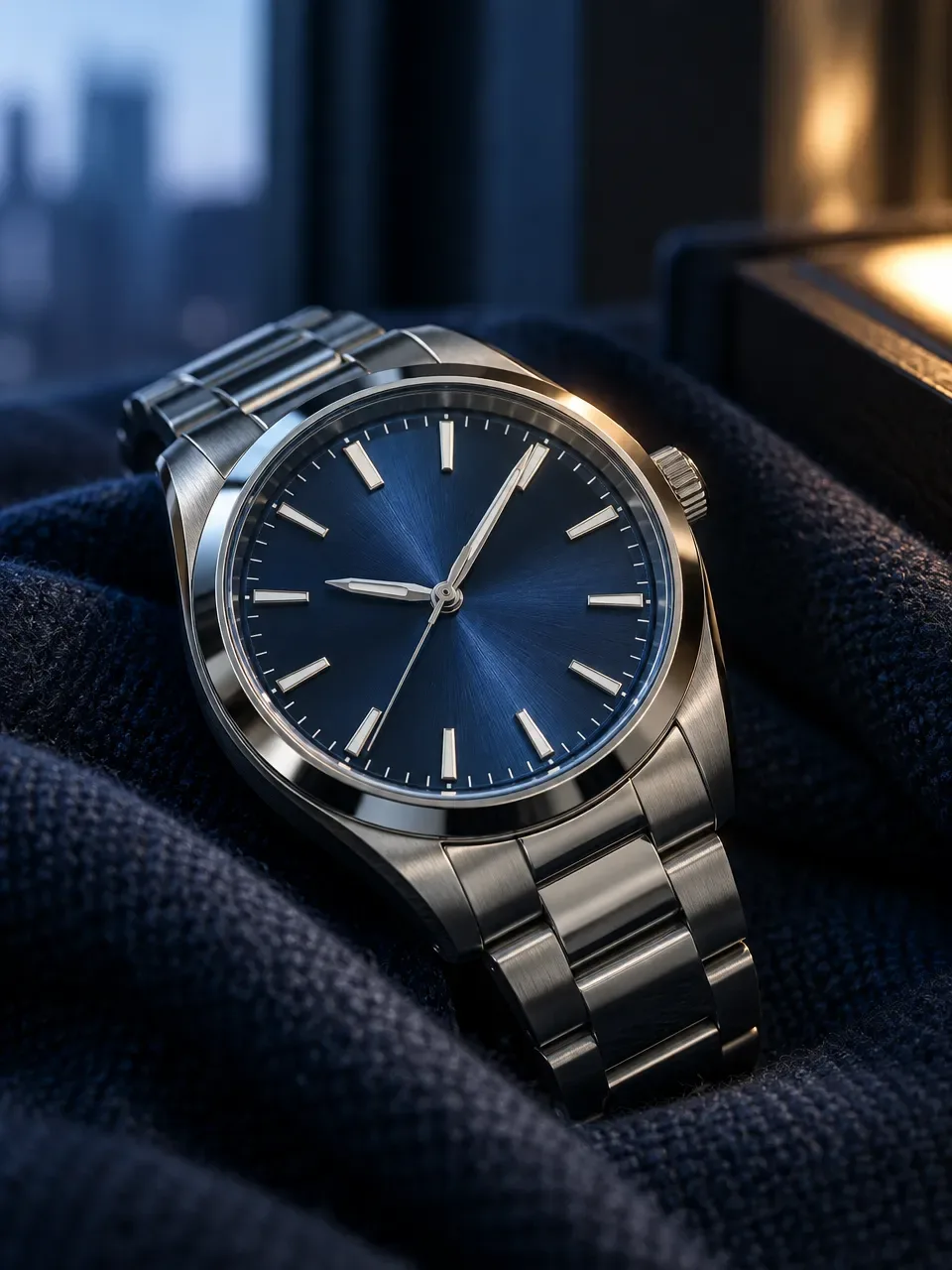
- Input
- 1 to 8 product photos (PNG, JPG, WebP or HEIC)
- Outputs
- Still images and short videos
- Formats
- Stills 3:4 by default; video 9:16, 1:1 or 16:9
- Model
- None, stock, your own photo, or described
Why watches are hard to photograph
A watch combines nearly every hard surface in product photography. The crystal reflects whatever is in front of it, often hiding the dial. Polished parts of the case act as mirrors, while brushed parts need light that rakes across them to show the grain. A single case often has both.
The dial is full of fine detail: printed text, applied indices, a date window, sub-dials and lume. All of it must be sharp and correct. Watches are also traditionally shown with the hands at about ten past ten, which frames the logo and looks balanced. Straps and bracelets bring their own issues, from leather grain to bracelet links that must line up evenly. Photographers often shoot several exposures and combine them to get both a clear dial and a well-lit case.
The shot list for a watch page
Watch buyers look closely, often zooming in on every image. Give them the dial, the case and the watch on a wrist. Keep the hands in the same position across the set so the images look like one series.
- Front packshot, dial straight on, hands near 10:10, on a plain background.
- Three-quarter view showing case thickness and the crown.
- Side view of the crown and case profile.
- Caseback, especially if it is transparent or engraved.
- Clasp or buckle detail.
- Macro of the dial texture and indices.
- On-wrist shots to show size against a real wrist.
Formats for stores and social
Many marketplaces ask for the main image on a plain white background. Check the current rules for your marketplace before you upload. Use gallery slots for angles, details and on-wrist shots.
Watches work well in motion: a slow turn shows how light moves over a brushed bezel and a polished case. A 9:16 video suits Reels and Shorts, 3:4 stills suit the feed, and 16:9 suits banners. Flash Shoot makes 3:4 stills by default and videos in 9:16, 1:1 or 16:9, with up to 4 variants per output.
Check the dial before anything else
The dial is where an AI image is most likely to go wrong and where buyers look first. Check the brand text and any small print letter by letter, the number and shape of indices, the hands, the date window and any sub-dials. A watch that gains or loses an index is a different watch.
Then check the case: crown position, lugs, bezel markings and the mix of brushed and polished surfaces. On bracelets, look for links that merge or change size. If the dial carries very fine text that does not come out exactly, use a real macro photo for that detail. Upload a sharp, straight-on dial photo so the model has the best reference.
Common watch photo problems and how to avoid them
| Problem | Why it happens | How to avoid it |
|---|---|---|
| Dial hidden by glare | The crystal reflects the light source | Choose a light direction from the side and check the dial is readable |
| Dial text altered | Fine print is small and easy to redraw wrongly | Upload a sharp dial photo; use a real macro if the text is not exact |
| Indices or sub-dials change | Repeated small shapes are hard to count | Count indices and sub-dials on every output |
| Case looks flat | Brushed steel needs raking light | Pick a side light that shows the grain |
| Watch looks oversized on the wrist | Scale is inferred, not measured | Compare case size with the wrist and state the case diameter in the listing |
How to do it in Induce AI
Upload the watch
Add 1 to 8 photos: dial straight on, three-quarter view, crown side, caseback and clasp, all sharp and evenly lit.
Choose the model option
Pick no model for packshots, or a stock model, your own model photo or a described model for on-wrist shots.
Set background and light
Choose a plain background for listings or stone, wood or leather for ads, and a side light that keeps the dial clear.
Generate stills and videos
Generate 3:4 stills and a 9:16 turning video for Reels and Shorts. Use Flash Films for a short ad film.
Review and download
Check dial text, indices, hands, crown and bracelet links against the real watch, then download.