Perfume & fragrance
AI perfume photography for bottles and fragrance sets
To make perfume product photos with AI, upload 1 to 8 photos of the bottle to Flash Shoot in Induce AI, with the label facing the camera and the liquid level visible. Choose a model option, set the background and light direction, and generate stills and short videos. Check the bottle shape, cap and liquid colour against the real product before you publish.
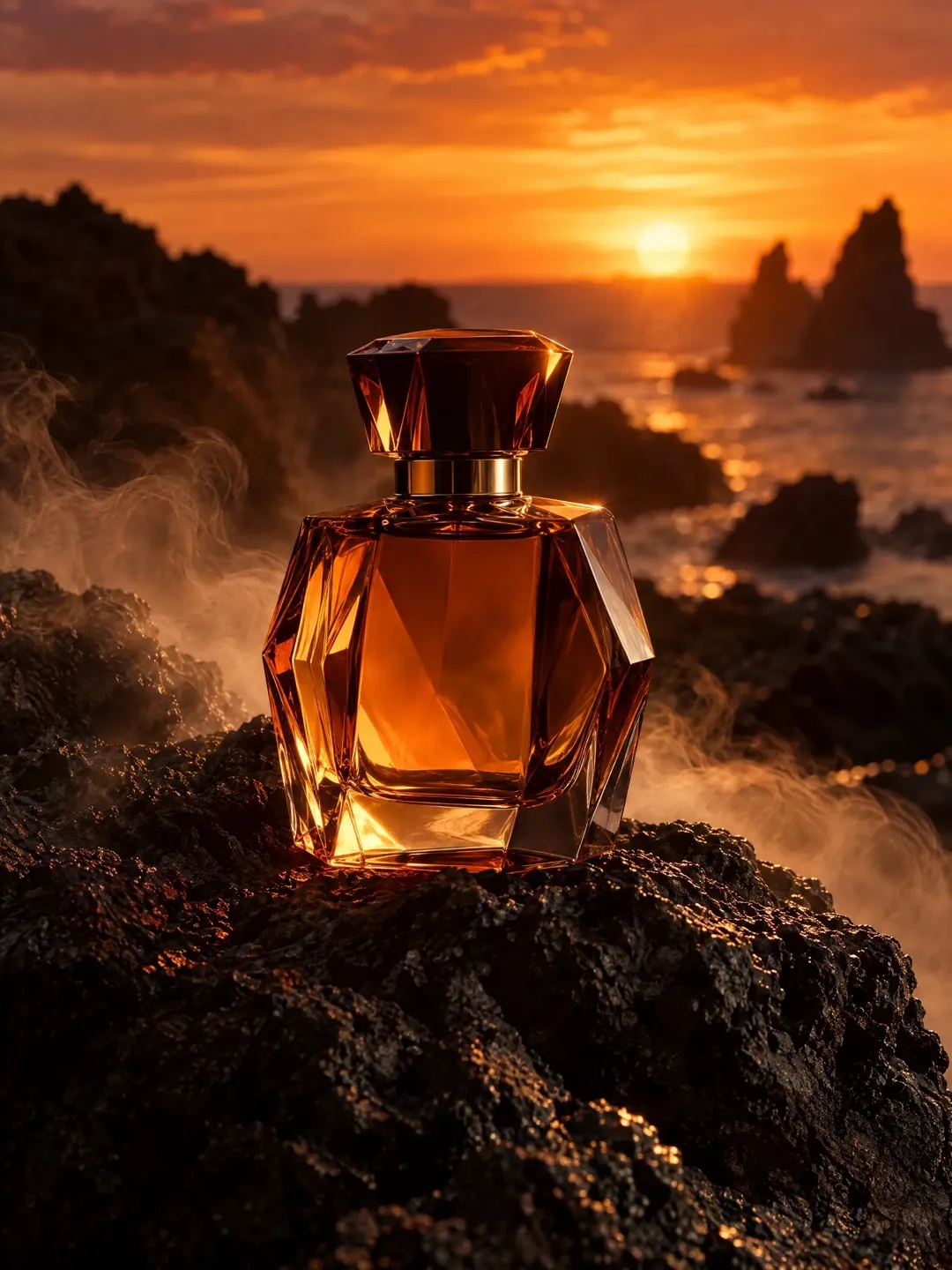
- Input
- 1 to 8 product photos (PNG, JPG, WebP or HEIC)
- Outputs
- Still images and short videos
- Formats
- Stills 3:4 by default; video 9:16, 1:1 or 16:9
- Model
- None, stock, your own photo, or described
Glass, liquid and reflections
Perfume is one of the hardest products to photograph because most of it is transparent. Clear glass has no surface of its own, so photographers define it with light: dark lines along the edges from black cards, and bright highlights from a soft box. Faceted and moulded bottles bend the background, so anything behind the bottle shows through distorted.
The liquid matters too. Its colour is part of the product, and it changes with what is behind it. Lit from the front, a pale amber juice can look almost clear. Lit from behind, it glows. The level of liquid should look full. Caps are often heavy metal or resin that reflects the whole room. Getting all of this right in a studio takes careful light placement and retouching.
Selling a smell with pictures
Scent is invisible, so fragrance images borrow cues from the notes. Citrus, fresh flowers, wood, smoke, spices, water or stone tell the buyer what to expect before they smell anything. Light and colour do the same work: cool blue light reads fresh, warm low light reads rich or evening.
Keep the props honest. If the fragrance is a woody scent, a bright citrus set-up sends the wrong signal. Keep the bottle the hero: props should frame it, not hide it.
- Main packshot of the bottle alone on a plain background.
- Bottle with its box, if sold boxed.
- Backlit shot that shows the liquid colour.
- Scent-note still life with ingredients around the bottle.
- Cap and atomiser detail.
- In-hand or on-model shot for size and mood.
Formats and motion
For marketplace listings, the main image is commonly the bottle alone on plain white; check the current rules for your marketplace and the fragrance category. Gallery images can show the box, the notes and the bottle in use.
Fragrance ads lean on motion. A short 9:16 video of light moving across the glass, or the bottle turning, suits Reels and Shorts. Use 3:4 stills for feed posts and 16:9 for banners. In Flash Shoot, stills default to 3:4 and videos can be 9:16, 1:1 or 16:9. For a gifting-season ad with music, captions and an end card, Flash Films takes you from a brief to a storyboard you can edit before any credits are spent on the shoot.
What to check
AI can make glass look convincing, but it may also change the bottle. Check the silhouette and proportions, the shape and colour of the cap, the neck and collar, and any engraved or printed name on the glass. Read the label letter by letter. Check that the liquid colour and level match a full bottle of your product. On on-model shots, check that the bottle is a believable size in the hand. Upload references with the label square to the camera and a plain background so the outline is clear.
Perfume shot list with placements
| Shot | What it shows | Best format |
|---|---|---|
| Bottle packshot | Shape, label, liquid colour | Main listing image on white |
| Bottle with box | What the buyer receives | Listing gallery |
| Backlit bottle | True liquid colour and glass clarity | Listing gallery, 3:4 feed post |
| Scent-note still life | What the fragrance smells like | 3:4 feed post, 16:9 banner |
| Cap and atomiser detail | Finish and quality | Listing gallery |
| Turning bottle with moving light | Glass and liquid in motion | 9:16 video for Reels and Shorts |
How to do it in Induce AI
Upload the bottle
Add 1 to 8 photos: label square to the camera, side view, cap off, and the box if you sell it boxed. Use a plain background.
Choose the model option
Pick no model for packshots and still lifes, or a stock, uploaded or described model for in-hand and mood shots.
Set background and light
Choose a plain background for listings or a setting that echoes the scent notes, and a light direction that defines the glass.
Generate stills and videos
Generate 3:4 stills and a 9:16 video for Reels and Shorts. Use Flash Films for a short ad film with music and an end card.
Review and download
Check bottle shape, cap, label and liquid colour against the real bottle before downloading.